Typically at this time of year, you as a GameTime partner would be hearing from us to “Please submit your Fall schedules” so that we could begin programming your stations for Fall sports. And while you certainly can submit your schedules, there's a faster, easier way to set up your events that gives YOU complete control in the event of any changes.
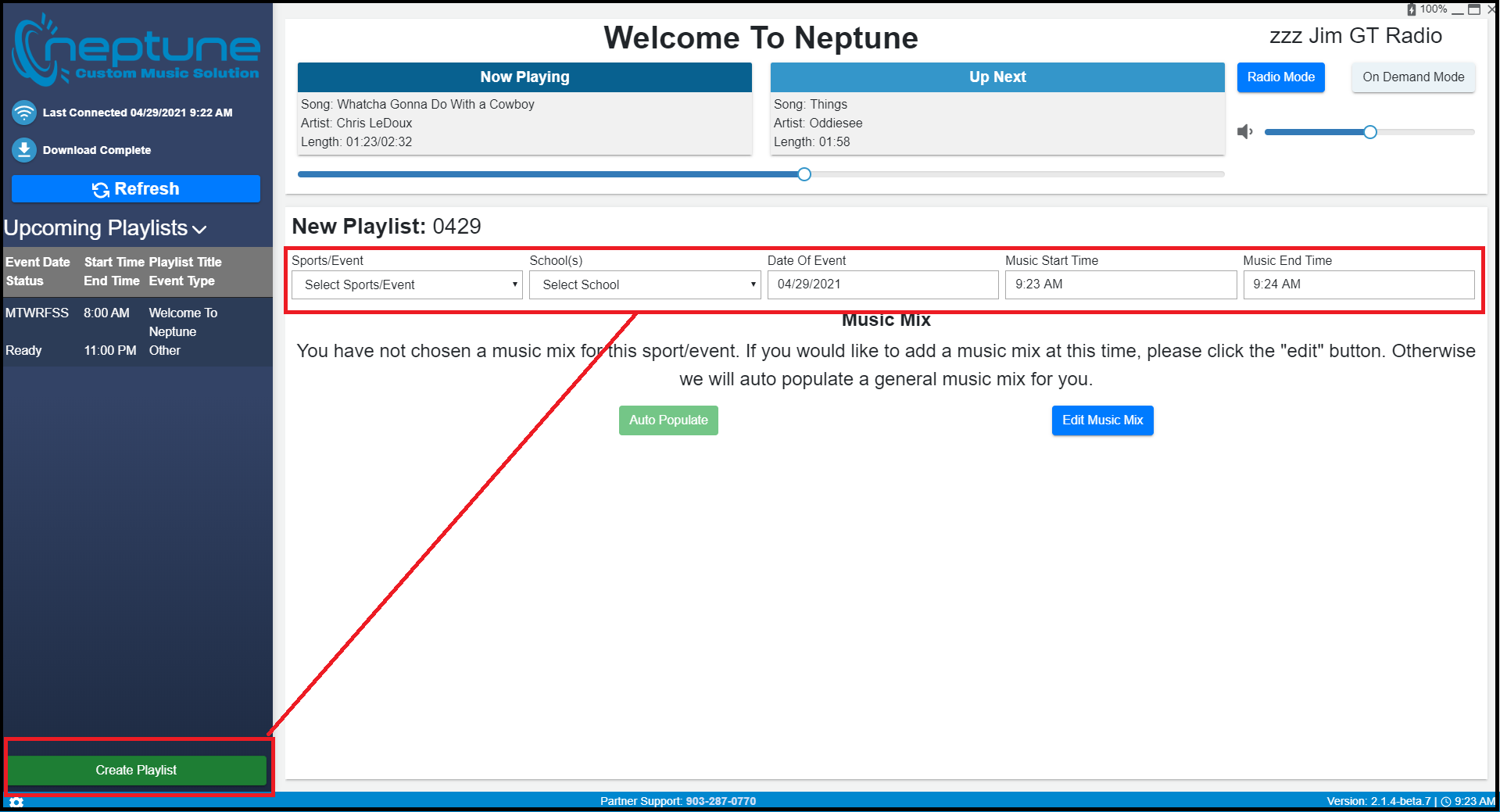
Thanks to the updates made to the new Neptune Player, you can now program your sports events directly from the player, either in Radio Mode or in On Demand. The primary advantage of you doing this is that if you need to change the times and/or dates of an event or add a particular song that just came out, you no longer need to call your Partner Success Manager to do so and wait for us to program the changes. You can make all the necessary changes from the Player, and as long as you're connected to the internet, these changes will automatically be updated on your player.
For a quick tutorial on adding events in Radio Mode, click HERE. For a quick tutorial on how to add events in On Demand Mode, click HERE.